Look Keynote Presentation Template
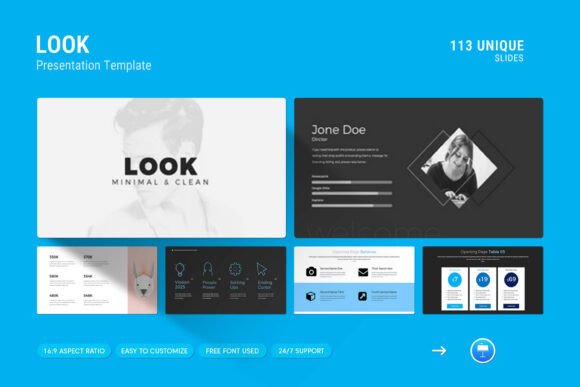
The Look Keynote Presentation Template is a modern and professional design solution tailored for individuals and businesses looking to present their work, projects, or company profiles in a visually appealing and structured manner. This template offers a clean layout with creative photo arrangements, infographics, tables, vector icons, and diagrams, making it ideal for a variety of presentation needs.
What Is the Look Keynote Presentation Template?
The Look Keynote Presentation Template is a digital resource designed specifically for use in Apple's Keynote software. It provides users with a comprehensive set of slides that can be easily customized to fit different topics and purposes. The template includes 113 slides in total, all arranged in a master slide layout that allows for consistent formatting across the entire presentation. With a 16:9 full HD ratio (1920x1080px), it ensures compatibility with most display systems and projectors.
One of the standout features of this template is its drag-and-drop functionality for changing pictures, which simplifies the process of updating visual content without requiring advanced design skills. Additionally, users can easily change colors to match their brand identity or personal preferences. The template is fully editable, allowing for adjustments to text, images, and other elements as needed.
Why Consider the Look Keynote Presentation Template?
For professionals who need to deliver presentations that are both informative and visually engaging, the Look Keynote Presentation Template offers a practical solution. Its contemporary design helps create a strong first impression, while the inclusion of various layout types—such as infographics and diagrams—makes it easier to convey complex information in a clear and organized way.
The template is also versatile, as it works on both Apple and Windows devices, ensuring that users can access and edit their presentations regardless of their operating system. This cross-platform compatibility makes it a convenient choice for teams or individuals who may use different devices.
Another advantage is the use of free fonts, which eliminates the need for additional font purchases. This not only saves costs but also simplifies the design process by providing a consistent and professional look without the need for extensive customization.
Benefits and Considerations
The Look Keynote Presentation Template provides several benefits that make it a valuable tool for presenters. Its clean and minimal design helps maintain focus on the content rather than the visuals, which is especially important in academic, business, or professional settings. The inclusion of multiple slide types ensures that users can structure their presentation in a way that best suits their message.
However, it’s important to consider that while the template is user-friendly, some level of familiarity with Keynote may be required to take full advantage of its features. For those new to the software, there may be a learning curve associated with customizing the slides effectively.
Additionally, while the template is fully editable, it may not offer the same level of customization as more advanced design tools like Adobe Illustrator or PowerPoint. Users looking for highly specialized layouts or interactive elements might find that alternatives provide more flexibility.
Situations Where It May Be a Strong Fit
The Look Keynote Presentation Template is particularly well-suited for individuals or organizations that need to create polished presentations quickly. It is ideal for business proposals, product launches, academic presentations, or company overviews where a professional appearance is essential.
It is also beneficial for teams working on collaborative projects, as the master slide layout ensures consistency across all slides. This can save time during the editing process and help maintain a cohesive visual style throughout the presentation.
For users who prioritize ease of use and quick setup, the template’s drag-and-drop feature and color-changing options make it an efficient choice. It allows for rapid adjustments without the need for extensive design knowledge.
When Alternatives Might Be Worth Considering
While the Look Keynote Presentation Template is a solid option, there may be situations where other tools or templates are more appropriate. For instance, if a user requires a presentation that includes complex animations, interactive elements, or advanced data visualization, they may need to explore other platforms or templates that offer these capabilities.
Users who prefer working in PowerPoint may find that alternatives provide better compatibility with their existing workflows. Similarly, those who require highly customized designs may benefit from using design software that offers more control over every aspect of the presentation.
It’s also worth considering that some users may prefer templates that include more detailed support documentation or a broader range of slide variations. In such cases, comparing multiple options can help identify the best fit for specific needs.
Practical Decision-Making Insights
When deciding whether the Look Keynote Presentation Template is right for your needs, consider the following factors: the complexity of your presentation, the level of customization required, and your familiarity with Keynote. If you value simplicity, speed, and a clean design, this template could be an excellent choice.
Take the time to review the included help file and PDF details to understand the full scope of what the template offers. This will help you assess whether it aligns with your goals and expectations. Additionally, reaching out to the support team for any questions or concerns can provide further clarity and confidence in your decision.
Ultimately, the Look Keynote Presentation Template is a practical and effective tool for creating professional presentations. Whether you’re preparing for a business meeting, a conference, or an academic presentation, this template can help you present your work in a compelling and organized manner.